macOS Tahoe 26 Introduces Liquid Glass Design
macOS Tahoe 26 is Apple’s newest Mac operating system, scheduled for release in fall 2025. It replaces macOS 15 and aligns with iOS 26 and iPadOS 26 in Apple’s simplified numbering system. Named after California’s iconic Lake Tahoe, this update introduces the sleek Liquid Glass design—reflective, translucent visuals applied across icons, folders, toolbars, and even the menu bar.
Users can personalize the look of folders and apps using color tints and emoji. Both the Control Center and menu bar are now customizable, improving how users organize and access tools. The Photos app adopts the Liquid Glass style, gains a redesigned sidebar, Pinned Collections, and enhanced filtering tools, streamlining image browsing and curation.
Spotlight and Shortcuts Get Major Upgrades
Spotlight in macOS Tahoe 26 sees a massive upgrade. Users can now run over 100 built-in actions directly from Spotlight without opening apps. These include sending emails, creating notes, playing podcasts, or setting calendar events. It also displays app data, iPhone clipboard history, and personalized suggestions based on user behavior.
Shortcuts are now more powerful with integrated Apple Intelligence. This allows automation of complex tasks using both Apple’s AI models and third-party integrations such as ChatGPT. Users can schedule shortcuts to run automatically based on events like connecting displays or specific times of day.
Read Also
New Phone and Messages Features on Mac
macOS Tahoe 26 brings the Phone app to the Mac. With Wi-Fi calling and iPhone integration, users can make calls, view recents, and listen to voicemails. New features like Call Screening ask callers to state their name and reason, while Hold Assist stays on the line and alerts users when a real agent responds.
The Messages app adds Live Translation, polls, Apple Cash support in group chats, and improved search using natural language. Users can now personalize conversation backgrounds and enjoy more expressive and flexible texting across devices.
Smarter Automation with Apple Intelligence
Apple Intelligence now powers several system apps on macOS, including Reminders and Journal. Reminders can automatically detect action items from emails or notes and sort them into categories. The Journal app, newly available on Mac, supports synced entries across all Apple devices.
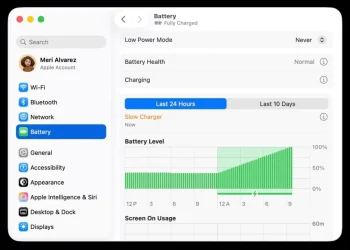
Gaming also gets a boost. The new Games app on macOS includes a Game Overlay for adjusting settings or chatting without exiting gameplay. Low Power Mode helps extend battery life during play sessions. Developers benefit from Metal 4, which offers better rendering, faster frame rates, and improved graphics fidelity.
macOS Tahoe 26 is a major step forward in design, intelligence, and productivity. Whether you’re a professional, gamer, or casual user, the update promises a refined and intuitive experience across every corner of the Mac.