BizmartOs
No Result
View All Result
  • Windows
  • macOS
  • Linux
  • Android
  • iOS
  • ChromeOS
  • Ubuntu
  • Debian
  • Fedora
  • BSD
  • Windows
  • macOS
  • Linux
  • Android
  • iOS
  • ChromeOS
  • Ubuntu
  • Debian
  • Fedora
  • BSD
No Result
View All Result
BizmartOs
No Result
View All Result

Home » New Class Tools Updates Boost Classroom Engagement

New Class Tools Updates Boost Classroom Engagement

Bizmart OS Staff by Bizmart OS Staff
6 months ago
in ChromeOS
Reading Time: 2 mins read
A A
New Class Tools Updates Boost Classroom Engagement

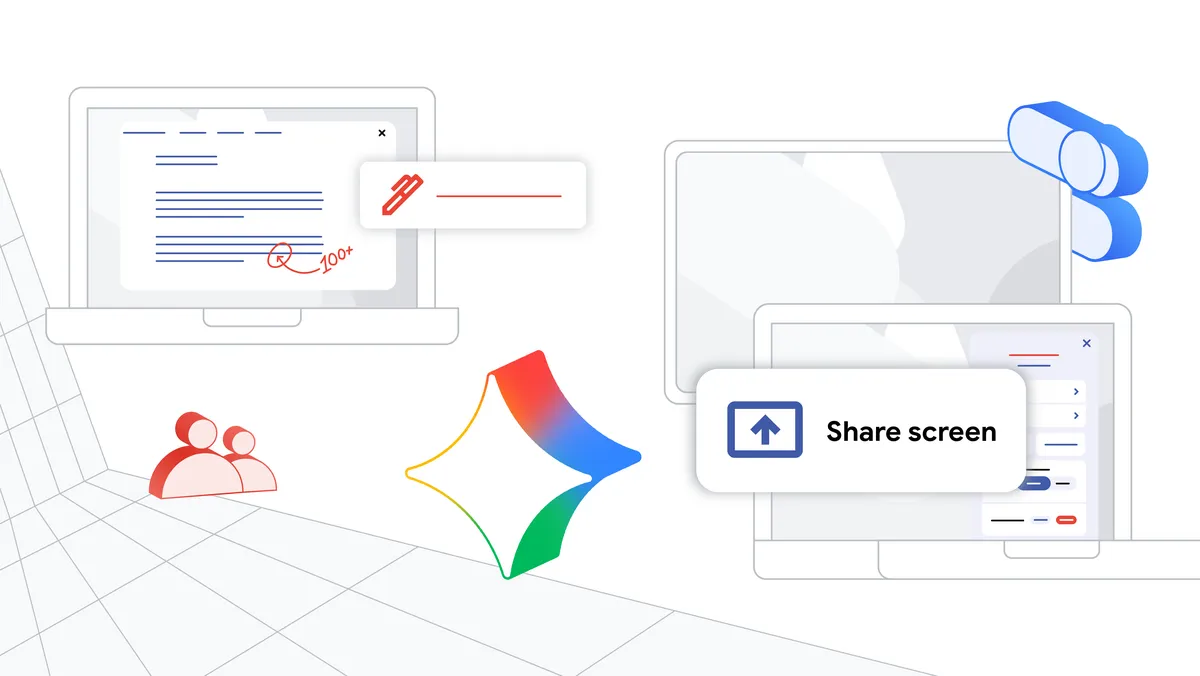
Google has rolled out new Class tools updates to improve real-time classroom interaction. These features are available for managed Chromebooks through Google Workspace for Education Plus.

Originally launched last year, Class tools let teachers view student screens, share content, and lock devices during lessons. Now, educators get even more control with three key additions: a display app, screen sharing, and on-screen annotations.

The new Class tools display app works across student Chromebooks, teacher Chromebook Plus devices, and classroom displays. Teachers can mirror their screen—or a student’s—to the main display in just a few clicks.

This makes it easy to present lessons, highlight strong student work, or troubleshoot common errors together. Real-time screen sharing encourages active participation and peer learning.

Teachers can also annotate anywhere on their screen during class. They can circle key details, underline instructions, or draw attention to important information. This helps students stay focused on what matters most.

These updates support dynamic teaching in tech-enabled classrooms. Educators gain flexibility without losing oversight. Students benefit from clearer guidance and more engaging lessons.

For example, a teacher can anonymously share a student’s problem-solving attempt and walk the class through corrections. Or they can instantly showcase excellent work to motivate others.

All features are exclusive to Google Workspace for Education Plus. They work seamlessly across compatible Chromebooks and classroom displays—no extra software needed.

As digital learning grows, tools that blend control with interactivity become essential. These Class tools updates help create more responsive and engaging classroom experiences.

READ: Cloover Secures $1.2B to Power Europe’s Energy Transition

Tags: Chromebook teaching toolsClass tools updatesclassroom displaysclassroom engagementEdTecheducation technologyGoogle Workspace for Educationscreen sharingstudent collaborationteacher annotation
Previous Post

Cloover Secures $1.2B to Power Europe’s Energy Transition
Next Post

Windows 8 Metro Interface Revived on Linux

Related Posts

ChromeOS Flex Kit Revives Old Windows PCs
ChromeOS

ChromeOS Flex Kit Revives Old Windows PCs

by Bizmart OS Staff
3 months ago
0

The ChromeOS Flex kit offers a new solution for millions of users affected by the end of Windows 10 support....

Read moreDetails
ChromeOS future
ChromeOS

Google Plans to Keep ChromeOS Until 2034, Despite Aluminum OS Launch

by Bizmart OS Staff
5 months ago
0

Google is combining Android and ChromeOS into one system, but ChromeOS isn’t going away anytime soon. Despite the upcoming launch...

Read moreDetails
Google Plans to Retire ChromeOS by 2034, Unveils Aluminium OS
ChromeOS

Google Plans to Retire ChromeOS by 2034, Unveils Aluminium OS

by Bizmart OS Staff
5 months ago
0

Google is preparing a major overhaul of its operating system strategy—and the ChromeOS phaseout by 2034 is now official. Court...

Read moreDetails
Mac From Before 2018
ChromeOS

Using a Mac From Before 2018? Google Will Soon Axe Chrome Support

by Bizmart OS Staff
5 months ago
0

If you’re using a Mac from before 2018 and rely on Google Chrome, there’s bad news. Google will soon stop...

Read moreDetails
Aluminium OS
ChromeOS

Google Previews Aluminium OS: First Look at the Future of ChromeOS

by Bizmart OS Staff
6 months ago
0

Google is planning to replace ChromeOS with a new platform called Aluminium OS. This platform combines the best features of...

Read moreDetails
Google Fast Pair Security Flaw: Risks for Bluetooth Devices
ChromeOS

Security Flaw in Google’s Fast Pair Technology Poses Risks

by Kevin Atamba Ochieng
6 months ago
0

Google’s Fast Pair technology has revolutionized Bluetooth pairing, offering a seamless experience for Android and Chrome OS users. However, new...

Read moreDetails
Next Post
Windows 8 Metro Interface Revived on Linux

Windows 8 Metro Interface Revived on Linux

  • About
  • Privacy
  • Terms
  • DMCA
  • Advertise
  • Contact

© 2026 Bizmart OS

No Result
View All Result
  • Windows
  • macOS
  • Linux
  • Android
  • iOS
  • ChromeOS
  • Ubuntu
  • Debian
  • Fedora
  • BSD

© 2026 Bizmart OS