BizmartOs
No Result
View All Result
  • Windows
  • macOS
  • Linux
  • Android
  • iOS
  • ChromeOS
  • Ubuntu
  • Debian
  • Fedora
  • BSD
  • Windows
  • macOS
  • Linux
  • Android
  • iOS
  • ChromeOS
  • Ubuntu
  • Debian
  • Fedora
  • BSD
No Result
View All Result
BizmartOs
No Result
View All Result

Home » MacOS Sequoia 15.6.1 Security Update Fixes Image Exploit

MacOS Sequoia 15.6.1 Security Update Fixes Image Exploit

Joel Wamono by Joel Wamono
9 months ago
in macOS
Reading Time: 3 mins read
A A
MacOS Sequoia 15.6.1 Security Update Fixes Image Exploit

Apple has issued MacOS Sequoia 15.6.1 as a critical security patch. The update focuses on fixing a newly discovered vulnerability tied to malicious image files. Apple recommends installing the patch immediately to keep all Mac devices safe.

Sequoia Security Update: Image Exploit Fixed

The exploit involved memory corruption caused by malicious image files. Since millions of users share photos, memes, and media daily, the vulnerability posed real danger. Apple confirmed that the flaw may have been used in rare, highly targeted attacks.

Although most users were not affected, applying this Sequoia security update is essential. Apple stresses that prompt installation ensures ongoing protection against evolving threats.

Other Apple Devices and MacOS Versions Covered

While MacOS Sequoia 15.6.1 is the flagship update, Apple also released patches for older systems. Users running MacOS Sonoma 14.7.8 or Ventura 13.7.8 can install similar fixes. iPhone and iPad owners should update to iOS 18.6.2 and iPadOS 18.6.2 for full protection.

How to Install the MacOS Exploit Fix

Before installing, back up your Mac with Time Machine. Then follow these steps:

  1. Open the Apple menu () and choose System Settings.
  2. Select General, then tap Software Update.
  3. Click Update Now to download and apply the patch.

The update file is about 1.6 GB and requires a system restart. Even if it seems small, this MacOS exploit fix is critical for device security.

Direct Downloads for Apple’s Mac Patch

For advanced users, Apple provides direct installers and IPSW files. These allow bulk updates, bootable drive creation, or system restoration. Available downloads include:

  • MacOS Sequoia 15.6.1 InstallAssistant.pkg
  • MacOS Sequoia 15.6.1 IPSW – UniversalMac_15.6.1_24G90_Restore.ipsw

Similar installer files are available for Sonoma 14.7.8 and Ventura 13.7.8.

Why the Sequoia Security Update Matters

Apple’s release notes confirm the update addresses memory corruption risks. Since simple actions—like opening an image—could trigger the exploit, failing to patch leaves systems exposed. Installing Apple’s Mac patch is the best way to prevent attacks and secure your data.

Conclusion

The MacOS Sequoia 15.6.1 update highlights Apple’s quick response to security threats. By fixing a serious flaw in image file handling, the company protects millions of users. Whether on Mac, iPhone, or iPad, updating your device ensures safety against emerging exploits.

Tags: Apple security updateMacOS exploit fixMacOS Sequoia 15.6.1MacOS Sequoia update
Previous Post

How to Run Windows on a Mac: A Complete Guide

Next Post

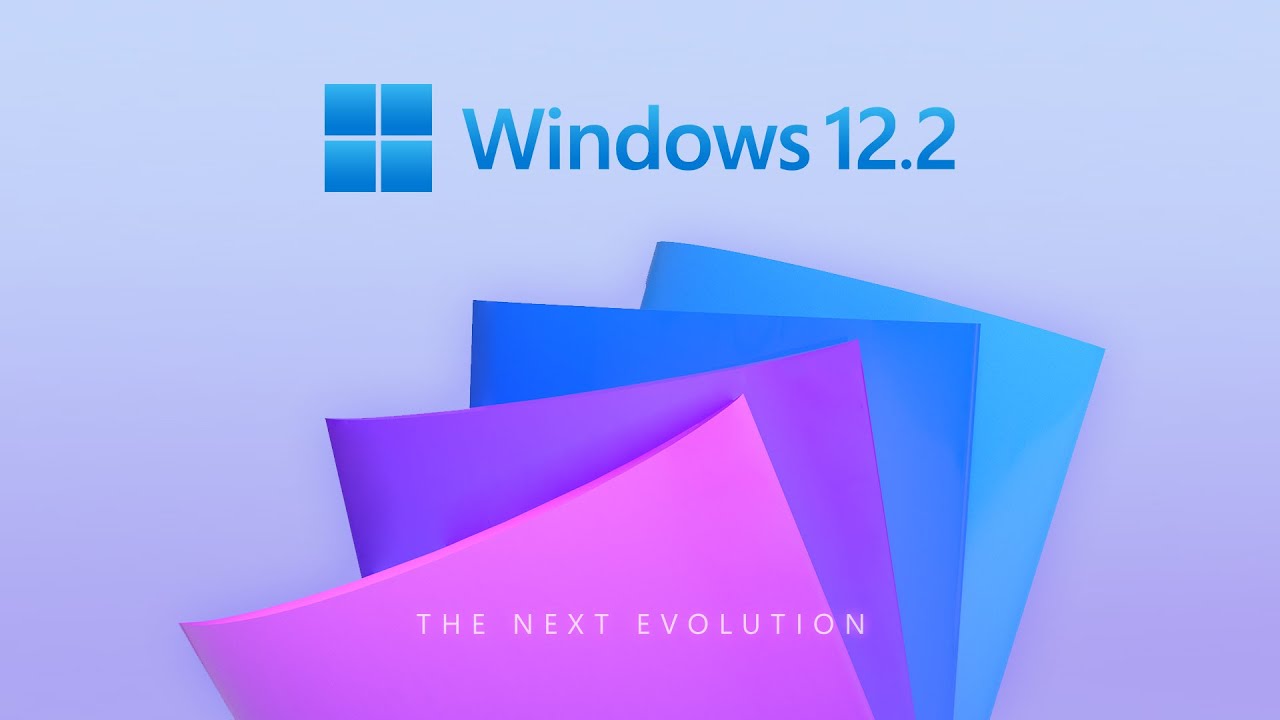
Windows 12.2 Concept Mockup Shows Features Fans Want

Related Posts

macOS 27 Compatibility Drops Intel Macs
macOS

macOS 27 Compatibility Drops Intel Macs

by Obwana Jordan Luke
1 month ago
0

The shift to macOS 27 compatibility marks a major turning point in Apple’s software strategy, as the company prepares to...

Read moreDetails
Gemini macOS App Brings AI to Desktop
macOS

Gemini macOS App Brings AI to Desktop

by Obwana Jordan Luke
1 month ago
0

The new Gemini macOS app marks a significant step in bringing AI assistance directly into everyday workflows. With a native...

Read moreDetails
Raspberry Pi OS 6.2 Boosts Security Defaults
Mac Clone

Raspberry Pi OS 6.2 Boosts Security Defaults

by Obwana Jordan Luke
2 months ago
0

The release of Raspberry Pi OS 6.2 introduces a subtle but important shift in how the popular operating system handles...

Read moreDetails
Windows 11 feature flags
Mac Clone

Windows 11 Feature Flags Let Users Unlock New Tools

by Aaron Joshua Mwenyi
2 months ago
0

Microsoft has confirmed that Windows 11 feature flags are coming to the Settings app, giving users a new way to...

Read moreDetails
Apple App Store Adds Indian Languages
Mac Clone

Apple App Store Adds Indian Languages

by Obwana Jordan Luke
2 months ago
0

Apple App Store languages support has expanded significantly as the company deepens its localization strategy, particularly in India. With this...

Read moreDetails
macOS Charging Features Improve Battery Care
macOS

macOS Charging Features Improve Battery Care

by Obwana Jordan Luke
2 months ago
0

macOS charging features now include practical battery improvements. Consequently, MacBook owners receive helpful power notifications. Furthermore, the system alerts users...

Read moreDetails
Next Post
Windows 12.2 Concept Mockup Shows Features Fans Want

Windows 12.2 Concept Mockup Shows Features Fans Want

  • About
  • Privacy
  • Terms
  • DMCA
  • Advertise
  • Contact

© 2026 Bizmart OS

No Result
View All Result
  • Windows
  • macOS
  • Linux
  • Android
  • iOS
  • ChromeOS
  • Ubuntu
  • Debian
  • Fedora
  • BSD

© 2026 Bizmart OS