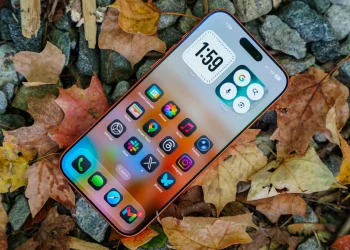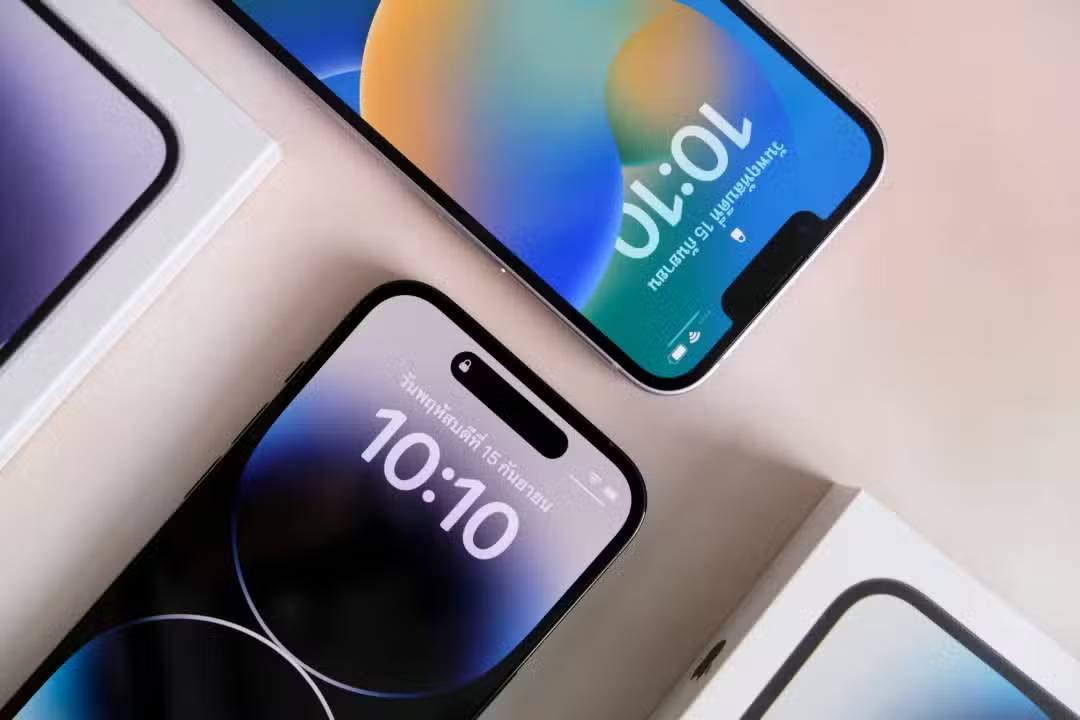
The iPhone lock screen clock customization feature marks a significant shift in Apple’s design philosophy. This unprecedented update allows users to modify time display dimensions directly within the quick access interface. Consequently, iPhone owners gain aesthetic and functional control previously requiring third-party applications.
Apple’s strategic move aligns its mobile ecosystem with contemporary customization demands. This trend has gained substantial momentum across the technology market recently. The novelty extends beyond cosmetic adjustments. It serves as a central pillar in accessibility and usability strategies for 2026. By enabling native manipulation of visual elements, the company addresses long-standing community feedback. Users requested greater flexibility to adapt essential home screen information according to individual reading preferences and style needs.
User interface experts note this update reinforces the brand’s commitment to device relevance. The ability to change clock number sizes without compromising system stability demonstrates software architecture advancement. Modern iOS can now manage dynamic graphic elements with improved energy efficiency and visual fluidity. This technical progress supports both aesthetic preferences and practical accessibility requirements.
The smartphone sector currently experiences subtle hardware differentiation. Software increasingly drives consumer experience decisions. With this update, the lock screen transforms from a static security barrier into an adjustable information panel. This living interface reflects user personality and momentary information consumption needs effectively.
Control mechanisms and fluid interface
Adjusting the clock size follows an intuitive process integrated with familiar platform gestures. Software engineering behind iOS 26 maintains the usability logic characterizing Apple products. Users access settings directly from the locked screen without navigating complex general settings menus. This simplified approach encourages feature adoption across all technical knowledge levels.
The system offers direct tactile commands for making changes. Users can employ pinch movements on the digital clock to reduce or enlarge displayed font sizes. Alternatively, a side scroll bar appears in the editing interface for fine, precise dimension adjustments. This dual command approach serves both gesture-preferring users and those seeking pinpoint layout precision.
Intelligent layout technology represents a significant implementation highlight. The software performs real-time calculations to rearrange adjacent widgets as clock dimensions change. If users significantly increase number sizes for easier reading, the system automatically repositions battery, weather, and calendar information. This prevents visual overlays that could clutter the interface or hide important data.
Dynamic adaptability preserves visual harmony regardless of user choices. Design algorithms prevent graphic element collisions while maintaining readability and clean aesthetics. Customization occurs within safe limits ensuring no critical information becomes accidentally hidden during editing. This balance supports both personalization and functional clarity.
Impact on accessibility and aesthetics
Flexibility in sizing lock screen elements delivers direct accessibility benefits. Visual clarity becomes a native, easily configurable feature supporting inclusive technology development. Users with visual impairments gain meaningful control over information presentation without external assistance.
The feature simultaneously addresses purely aesthetic demands. Users employing personal photographs, complex artwork, or detailed wallpapers often experienced frustration when clocks covered essential background image areas. The new tool enables reducing time display size for more discreet presentation. Background images gain prominence, enhancing artistic or sentimental device personalization choices.
Updated font families specifically designed for multi-size scaling accompany this feature. Font rendering optimization maintains clarity across reduced and expanded formats. Combined with transparency and color options, users create unique visual compositions. Text integrates organically with background imagery, producing depth and visual sophistication effects.
Integration with focus and performance modes
This functionality operates through deep integration with system concentration modes like Work Focus or Sleep mode. Users configure different clock sizes for each usage profile. During working hours, clocks assume standard, discreet sizes. In night or bedside modes, numbers enlarge and dim for quick viewing without causing low-light visual discomfort.
Beta phase testing confirmed graphical implementation does not negatively impact battery life. Code optimization ensures stable energy consumption even when rendering larger fonts and dynamically rearranging widgets. This efficiency maintains the delicate balance between advanced visuals and charge duration critical for mobile devices.
Update distribution follows the OTA model, reaching all compatible devices free of charge. Standard recommendations advise sufficient device charging or power source connection during installation. This ensures safe, uninterrupted transition to the new system. Users gain immediate access to new customization tools once the process completes.
The iPhone lock screen clock customization feature reflects Apple’s responsive design evolution. Community feedback directly influenced this native solution development. Users no longer require workarounds for basic visualization adjustments. This change strengthens the platform’s appeal for personalization-focused consumers.
Practical adoption remains straightforward for existing iPhone owners. The intuitive gesture system minimizes learning curves significantly. Furthermore, intelligent layout management prevents common customization pitfalls. Consequently, users experiment with personalization confidently without technical concerns.
As mobile interfaces continue evolving, native customization options set new expectations. The iPhone lock screen clock customization implementation demonstrates how user feedback shapes meaningful software updates. Protecting both aesthetic freedom and functional reliability remains central to this approach. Future interface innovations may build upon this flexible foundation effectively.