Microsoft’s Statement on Encryption Key Requests
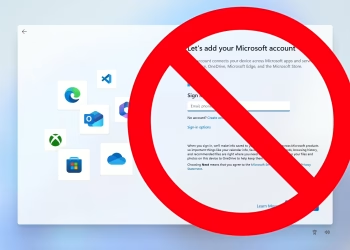
Microsoft confirmed that it will provide the FBI with BitLocker encryption keys from Windows 11 devices if a valid legal request is made. This revelation raises privacy concerns since Windows 11 automatically ties data encryption keys to Microsoft’s cloud through its online Microsoft Account requirement.
How the Encryption Key Works
BitLocker encryption keys are used to decrypt data on a Windows 11 device. Microsoft explained that if law enforcement provides a legal order, it can access these keys. This allows authorities to access encrypted data, which can be crucial for investigations.
The Case in Guam
Forbes reported that Microsoft handed over BitLocker keys in 2025 to help the FBI access a device in Guam. The FBI believed the device contained evidence linked to fraudulent activities in the island’s Covid unemployment assistance program. The device’s BitLocker key was uploaded to Microsoft’s cloud by default, due to the Windows 11 Microsoft Account requirement. While users can save keys locally, most opt for cloud storage without realizing the privacy implications.
Microsoft’s Privacy Stance
Charles Chamberlayne, a Microsoft spokesperson, acknowledged the risks of cloud-based key recovery. He stated that while the feature offers convenience, it also creates a potential for unwanted access. “Microsoft believes customers are in the best position to decide how to manage their keys,” Chamberlayne explained.
Requests from the FBI
Microsoft disclosed that it receives about 20 requests annually from the FBI for BitLocker keys. However, many of these requests go unanswered because the keys were not stored in the cloud in the first place.
Comparison with Other Tech Companies
This situation contrasts with Apple’s stance. Apple has publicly fought against law enforcement’s requests to unlock devices. While some companies, like Meta, also store keys in the cloud, they implement zero-knowledge encryption to prevent even the company from accessing the keys.
Risks of Unencrypted Keys
One concerning aspect is that Microsoft stores BitLocker encryption keys in an unencrypted form on its cloud servers. Unlike other tech companies with zero-knowledge encryption, Microsoft can access these keys. This leaves users vulnerable to breaches or legal access without the user’s direct consent.
Privacy Concerns for Users
Storing encryption keys in this manner presents serious privacy risks. Unlike other companies that keep keys private, Microsoft has access to these keys, which could compromise the security of users’ data. For privacy-conscious users, this is a major concern.
Read Also
Windows 11 Update
Linux Operating System
Linux Security Vulnerabilities
The decision to store BitLocker encryption keys in a manner that gives Microsoft access to them makes this a significant privacy issue for users. The debate between convenience and security continues as Microsoft moves forward with its cloud-based encryption key system.