The Windows 11 25H2 update is now rolling out—and surprisingly, it introduces very few new end-user features. In fact, Microsoft has already delivered most of these capabilities throughout 2024 via monthly patches for the 24H2 version. While that may sound underwhelming at first, it actually benefits users.
Since the Windows 11 25H2 update simply activates features already present on your system, installation happens quickly and smoothly. You won’t face a lengthy process, multiple restarts, or significant compatibility risks. Microsoft adopted this “enablement package” approach back in 2019, embedding new code in dormant form through regular security updates. When you install 25H2, you just flip a switch to turn those features on.
Moreover, Microsoft now follows a “continuous innovation” model. Instead of saving features for one big annual release, the company deploys them as soon as they’re ready. That means many users may already access the latest tools—especially if they’ve enabled “Get the latest updates as soon as they’re available” in Windows Update settings.
Nevertheless, you should still upgrade to the Windows 11 25H2 update. It bundles critical security patches, performance optimizations, and code refinements that boost system stability. It also extends your device’s support window, so you keep receiving important fixes for longer.
When Will You Receive the Update?
According to Microsoft’s September 30 blog post, the Windows 11 25H2 update is now available through a controlled feature rollout. Only eligible devices running Windows 11 version 24H2—and with the early-update toggle enabled—will see it right away.
Microsoft uses this controlled rollout to test your hardware and drivers before delivering the update. If the system detects potential conflicts, it places a “safeguard hold” on your device until fixes become available. IT departments typically manage update timing for business users, so organizations may delay deployment further.
Key Features Already Available (or Newly Enabled)
If you haven’t used early updates, the Windows 11 25H2 update may still bring useful enhancements. Below are the most notable additions:
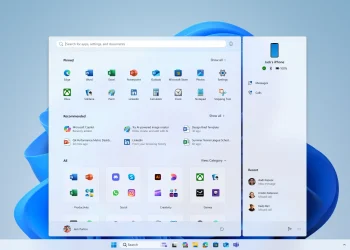
Updated Start Menu with Mobile Section
Once you link your Android or iPhone via Phone Link, a new sidebar appears in the Start menu. It lets you quickly access messages, make calls, or view recent photos—streamlining phone-PC integration.
Customizable Lock Screen Widgets
You can now add, remove, and rearrange widgets like Weather, Traffic, Sports, and Watchlist directly on the lock screen. Even third-party widgets that support small sizing work here. While not essential for everyone, this option gives you more personalization at login.
Time Returns to Notification Center
A previous update removed the clock from the Notification panel. Now, the digital time reappears above the calendar when you open the panel. You can still toggle seconds in the taskbar clock if you prefer.
Narrator Accessibility Upgrades
Windows’ built-in screen reader, Narrator, now offers AI-powered image descriptions and a recap feature that lets you review, hear, or copy past interactions. Two new keyboard shortcuts—comma (jump to start) and period (jump to end)—also improve navigation in long documents or tables.
No More Blue Screen of Death
Microsoft has officially retired the infamous Blue Screen of Death. A clean black error screen replaces it. Alongside this change, the new Quick Machine Recovery system reduces downtime and simplifies troubleshooting after crashes.
PC Migration Tool
A new Windows Backup feature helps you pair an old PC with a new one, making it easier to transfer files, settings, and preferences during an upgrade.
Press-to-Talk for Copilot
Hold Alt+Space for two seconds to activate Copilot by voice. Alternatively, you can enable “Hey Copilot” as a wake phrase when your PC is unlocked—bringing hands-free AI assistance into everyday use.
Gamepad-Friendly Touch Keyboard
The on-screen keyboard’s Gamepad layout now includes button accelerators: X for backspace, Y for spacebar, and vertically aligned keys for smoother controller navigation.
Edit Before Sharing
The standard Windows share sheet now includes an “Edit” button. Click it to tweak images in the Photos app before sending them—adding convenience to everyday workflows.
Support Lifecycle Changes
One of the most important aspects of the Windows 11 25H2 update involves support timelines. Home and Pro editions now receive 24 months of support from release, while Enterprise and Education get 36 months. For example, a September 2025 launch means support until September 2027 (or 2028 for business editions). Installing 25H2 ensures your device stays secure and supported longer.
What’s Being Removed?
Microsoft is also removing legacy components. The Windows 11 25H2 update drops PowerShell 2.0 and the Windows Management Instrumentation command-line tool—both rarely used today. Reassuringly, the company isn’t cutting any major user-facing features, which should ease concerns among long-time Windows users.
Final Thoughts
Although the Windows 11 25H2 update lacks flashy new capabilities, its streamlined delivery, stability improvements, and extended support make it a worthwhile upgrade. It reflects Microsoft’s shift toward smoother, less disruptive updates—a welcome change for both home users and IT teams.
In short: don’t skip the Windows 11 25H2 update, even if it feels quiet. Behind the scenes, it keeps your system safer, faster, and supported for longer.