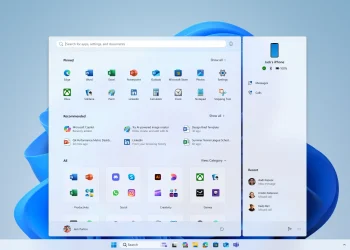
When comparing ChromeOS vs Windows, businesses must weigh performance, security, manageability, and total cost. Each platform caters to different needs, so the right choice depends on your company’s specific priorities.
Startup and Performance:
ChromeOS boots in seconds and runs web-based tools efficiently. This speed helps employees work with minimal delays. In contrast, Windows systems often run heavier desktop applications, which can cause slower performance and longer update times. Companies focused on cloud workflows may find ChromeOS far more agile.
Security and Updates:
Security remains a top concern for modern businesses. ChromeOS includes built-in virus protection, sandboxing, and verified boot processes. Unlike Windows systems, ChromeOS has never experienced a ransomware breach. While Windows 11 brings enhanced security tools, it still requires regular patches and external antivirus software. Therefore, ChromeOS offers a more hands-off approach to protection.
IT Management and Deployment:
ChromeOS simplifies IT tasks. IT teams can deploy devices 63% faster and manage them 36% more easily than Windows machines. With Google Admin Console, you can configure and control devices remotely. Windows, by comparison, needs more infrastructure and often demands more staff time to maintain.
App Compatibility and Tools:
Windows remains the leader for specialized and legacy applications such as Adobe Photoshop, Excel macros, and AutoCAD. On the other hand, ChromeOS focuses on web-first usage. It excels with Google Workspace, Microsoft 365 Online, and other progressive web apps. If your team depends heavily on cloud productivity, ChromeOS provides all essential functions without the extra weight.
Cost and Licensing:
ChromeOS devices typically cost less than Windows machines. Businesses also save on licensing and ongoing support. Meanwhile, Windows PCs often require additional expenses for antivirus, desktop software, and licensing. As a result, companies can reduce total cost of ownership with ChromeOS.
Hardware and Device Variety:
Windows PCs come in various models, from entry-level to high-performance. Although ChromeOS devices started modestly, newer models offer rugged builds, better specs, and enterprise-focused features. For most business tasks, today’s Chromebooks can match Windows machines.
Offline Functionality:
Windows performs better in offline environments because its software runs natively. While ChromeOS has improved offline capabilities using Android apps and Google Drive, it still relies more on internet connectivity. Teams working in areas with limited internet access may prefer Windows.
Support and Updates:
ChromeOS includes automatic updates and 24/7 support when paired with Chrome Enterprise Upgrade. Updates occur quietly in the background, keeping devices secure and fast. Conversely, Windows updates can be disruptive, occasionally causing system restarts and delays.
To summarize, the ChromeOS vs Windows decision depends on your operational model. ChromeOS suits businesses seeking cloud-first efficiency, strong built-in security, and minimal IT overhead. Windows works better for teams that need complex desktop software or frequent offline use. By understanding your company’s environment and tech requirements, you can make a smarter, cost-effective choice.
READ: ChromeOS Device Management: Simple, Secure, and Scalable