On paper, dual-booting Windows and Linux seems like the perfect setup. You get the flexibility of Linux for development and the familiarity of Windows for gaming or specific apps. I thought I was getting the best of both worlds — until I tried it for myself.
After months of dual-booting, I realized it’s not as seamless as it looks. While I enjoyed using Linux daily, the constant balancing act between the two systems brought a few unexpected challenges I wish I had known earlier.
Here are five pitfalls of dual-booting Windows and Linux that completely caught me off guard.

1. Power Management Weirdness
Windows doesn’t play nice with Linux when it comes to sleep and hibernation.
Windows assumes it’s the only operating system on your machine, and its power states often interfere with Linux. For example, Fast Startup — which is enabled by default — doesn’t actually shut down your system. Instead, it hibernates the kernel to boot faster later.
That means your file system stays “in use”, and when you try to boot into Linux, it refuses to mount the Windows partition to avoid data corruption. The only fix is to disable hibernation and Fast Startup entirely, which feels like a step backward.

2. Secure Boot Headaches
Secure Boot was designed to protect firmware from tampering — and that’s great in theory. In practice, though, it often becomes a pain for anyone tinkering with bootloaders or custom kernels.
Modern distros like Fedora and Ubuntu handle Secure Boot with Machine Owner Key (MOK) enrollment, but others don’t. That means you’ll need to either disable Secure Boot or manually enroll your own key.
In my case, I had to manually enroll keys for Bazzite and CachyOS — all because a few Windows-only games required Secure Boot to stay on. So, I had to keep toggling between security and convenience.
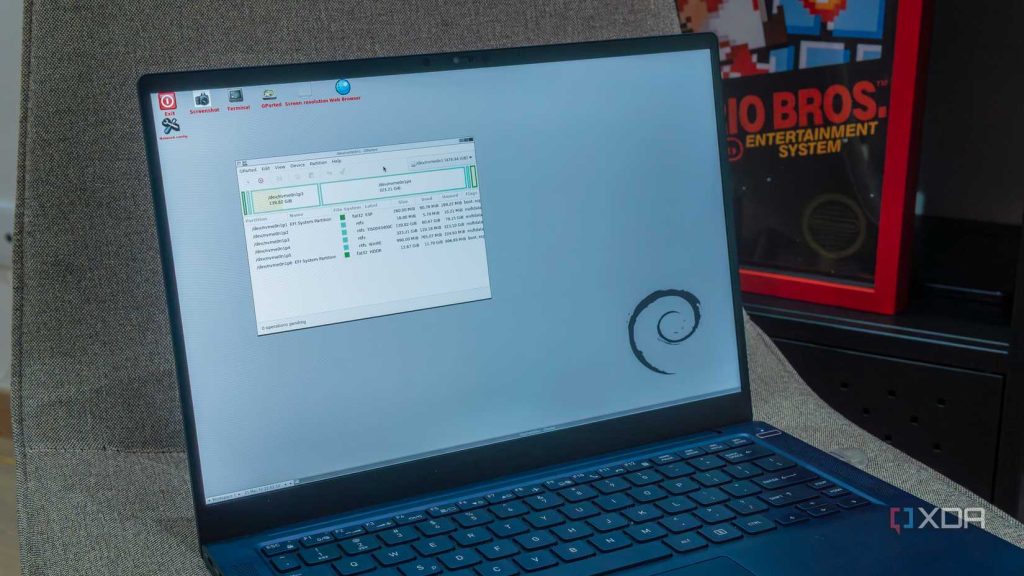
3. Shared Storage Isn’t Seamless
One of the biggest perks of dual-booting is being able to share files between systems. But the reality is far messier.
Windows uses the NTFS file system, and while Linux can read and write NTFS, it’s not always smooth. Some lightweight distros require installing drivers like ntfs-3g manually, and even then, issues can arise.
If Fast Startup or hibernation is enabled in Windows, the partition stays locked, so Linux will refuse to mount it. Even when it does mount, permission mismatches can cause files to become read-only or strip away metadata like creation dates.
In short, shared storage between Windows and Linux works — but it’s rarely flawless.
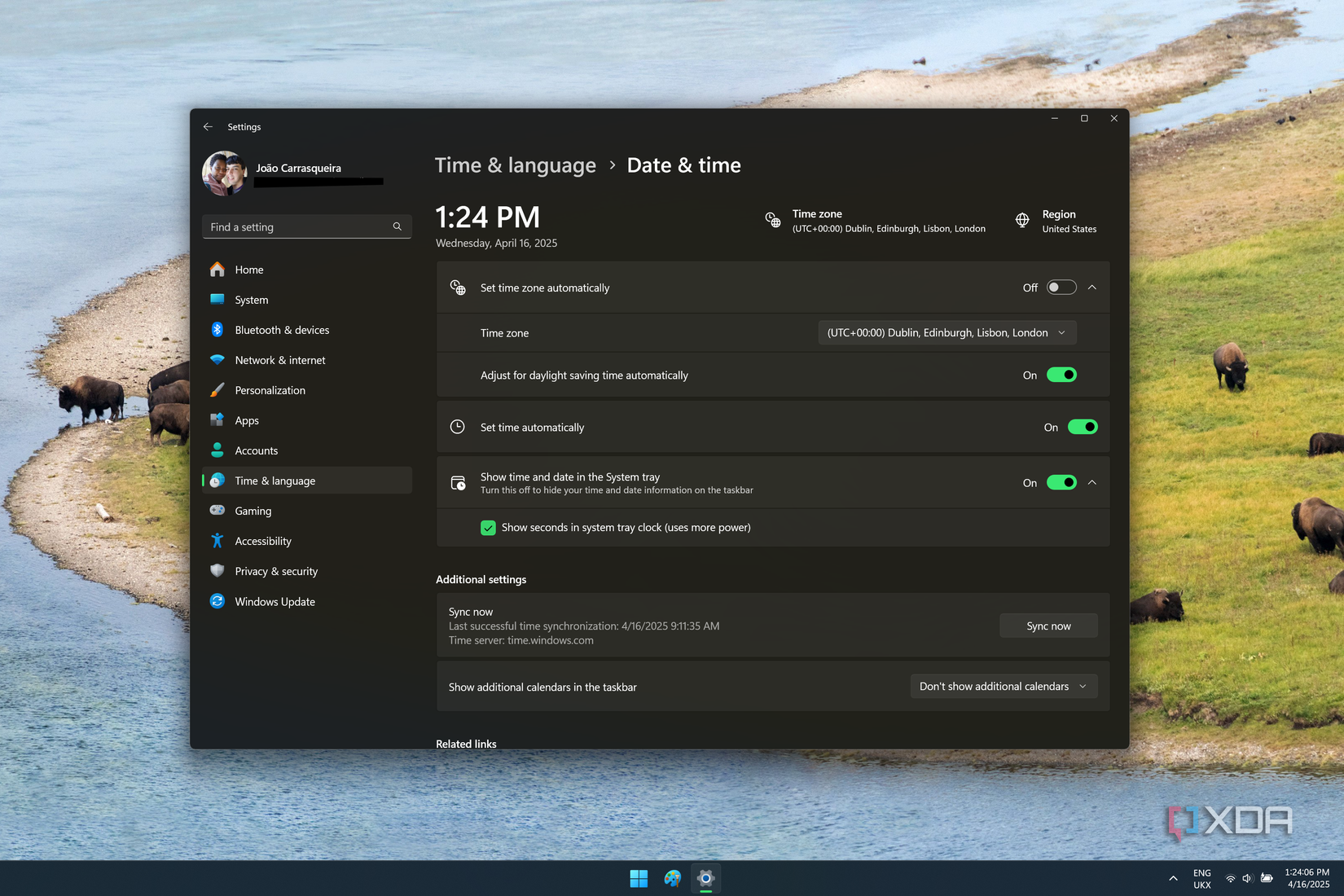
4. Time Desync Is a Real Problem
This one seems minor until it isn’t. When dual-booting, you’ll often find your system clock jumping forward or backward by several hours every time you switch OSes.
That’s because Windows uses local time, while Linux assumes your hardware clock is in UTC. Every time you switch systems, your clock resets itself by your time zone offset.
Thankfully, it’s an easy fix — you can run a quick command in Linux (timedatectl set-local-rtc 1) or tweak the Windows Registry (RealTimeIsUniversal=1). Once that’s done, your clocks will stay synced for good.
Still, I wish I’d known about this before setting up time-sensitive services on both systems.
5. Windows Updates Can Break Your Bootloader
Here’s the big one — Windows updates can (and will) break GRUB.
Even if you carefully partition your drive and configure everything perfectly, Windows has a bad habit of rewriting the EFI partition during major updates. The result? Your Linux bootloader vanishes, leaving you staring at a Windows-only system.
It’s not catastrophic — you can reinstall GRUB from a live USB — but it’s still frustrating. I’ve learned to keep a backup of my EFI partition just in case.
If you plan to dual-boot on the same drive, be prepared for Windows to “reclaim” its territory eventually.
Dual-Booting Is a Learning Experience, Not a Lifestyle
Despite all the issues, I don’t regret dual-booting — it taught me a ton about how my system actually works. I learned more about EFI, bootloaders, file systems, and timekeeping than I ever would have otherwise.
That said, it always felt a bit like walking a tightrope. Every update or shutdown carried a risk of something breaking.
For me, the better long-term solution is to run Linux on a separate machine (or at least a dedicated drive). Dual-booting is perfect for experimentation — but not for peace of mind.
Facts About Dual-Booting Windows and Linux
1. Is dual-booting Windows and Linux safe?
Yes, it’s safe if done correctly — but keep backups. Major Windows updates can overwrite your bootloader, so always have a live USB handy for recovery.
2. Why does Linux mess up my Windows clock?
Because Windows stores your hardware clock in local time, while Linux uses UTC. You can fix this with a one-line command or registry tweak.
3. Can I share files between Linux and Windows?
Yes, but it’s not perfect. Linux can access NTFS drives, but features like Fast Startup or hibernation can cause issues with file permissions and locked partitions.
4. Will Secure Boot stop me from installing Linux?
It depends on the distro. Fedora and Ubuntu support Secure Boot automatically, while others may require manual key enrollment or disabling it entirely.
5. How do I fix GRUB after a Windows update?
Boot into a live Linux USB, open a terminal, and reinstall GRUB to your EFI partition. Keeping a backup of your bootloader also saves a lot of trouble.